
QubeHub.ai

Sell like a market leader

Sell faster. Build More The go-to-market platform for real estate developers.

Book a demo
INEXIntermarkBBFPVClient logoA&A ApostolidesMZABWARKAjamiSunmarGrand Properties

Scale commercial output without scaling operational complexity.

Your team doesn’t need another isolated tool. It needs control over one connected commercial system.

Keep control.

Manage project data, pricing, brand standards and approved materials in one place.

Decide what your team and brokers can access, and every connected sales channel works from the same current project information.

Move faster.

Launch project pages, generate price lists and prepare offers from current portfolio data.

When a buyer gets in touch, your team has the project details and conversation history together — ready to move the sale forward.

Increase capacity.

The same team runs more projects, more brokers and more sales channels.

Bring each new project and sales partner into the operation you already run — with less additional coordination as your business grows.

One hub at work.

Portfolios already running on it.

A&A Apostolides — Editorial project preparation

A&A goes to market with one voice — across materials, documents and launch assets.

Editorial project preparation

Across QubeHub

15,000+ units

live across every channel

All regions

USA, Europe, Middle East, Asia

10,000+ brokers

selling from developers’ hubs

65M+ sq ft

in connected portfolios

Different responsibilities. One company.

Owner / CEO Into the project

Make the commercial decisions. Not the coordination around them.

Price · Terms · Availability · Direction

Change a price, approve an exception, change direction. QubeHub holds that decision as the current project state the company works from.

The control stays yours.

Marketing Out to the market

Take the company to market. Without assembling it again first.

Pages · Campaigns · Apps · Agent channels

All of it is kept in one place — and it doesn't fall apart when you use it. Everything the market sees reads the same record.

The market sees one company.

Commercial / Sales Back into the sale

Move the sale forward. Without reconstructing what happened first.

Project · Unit · Source · Next action

An enquiry returns with its project and unit, its source, what the buyer saw and who was involved. What comes back informs the next commercial decision.

Nothing is lost on the way back.

One team doing all three?

Team size should not define how the company operates — or what the market sees.

Build your own hub.

Start with what actually happens in your company.

«A hundred agents in the base — which of them actually sell?»

Owner

Mark it — what closes this appears here.

Activity and conversion for each one: leads, offers, which units they viewed

«A price that no longer exists went out to a client. Twice.»

Commercial Director

Mark it — what closes this appears here.

One live record per unit; the price list is a link that reads it, not a file that goes stale

«Agents are selling from a two-week-old price list.»

Commercial Director

Mark it — what closes this appears here.

The portal reads the same record: live availability, documents by permission, no forwarding

«Offers and reservation contracts are retyped by hand from a spreadsheet.»

Commercial Director

Mark it — what closes this appears here.

Documents are assembled from the unit card, with the right legal entity from the project record

Your hub

Nothing marked yet

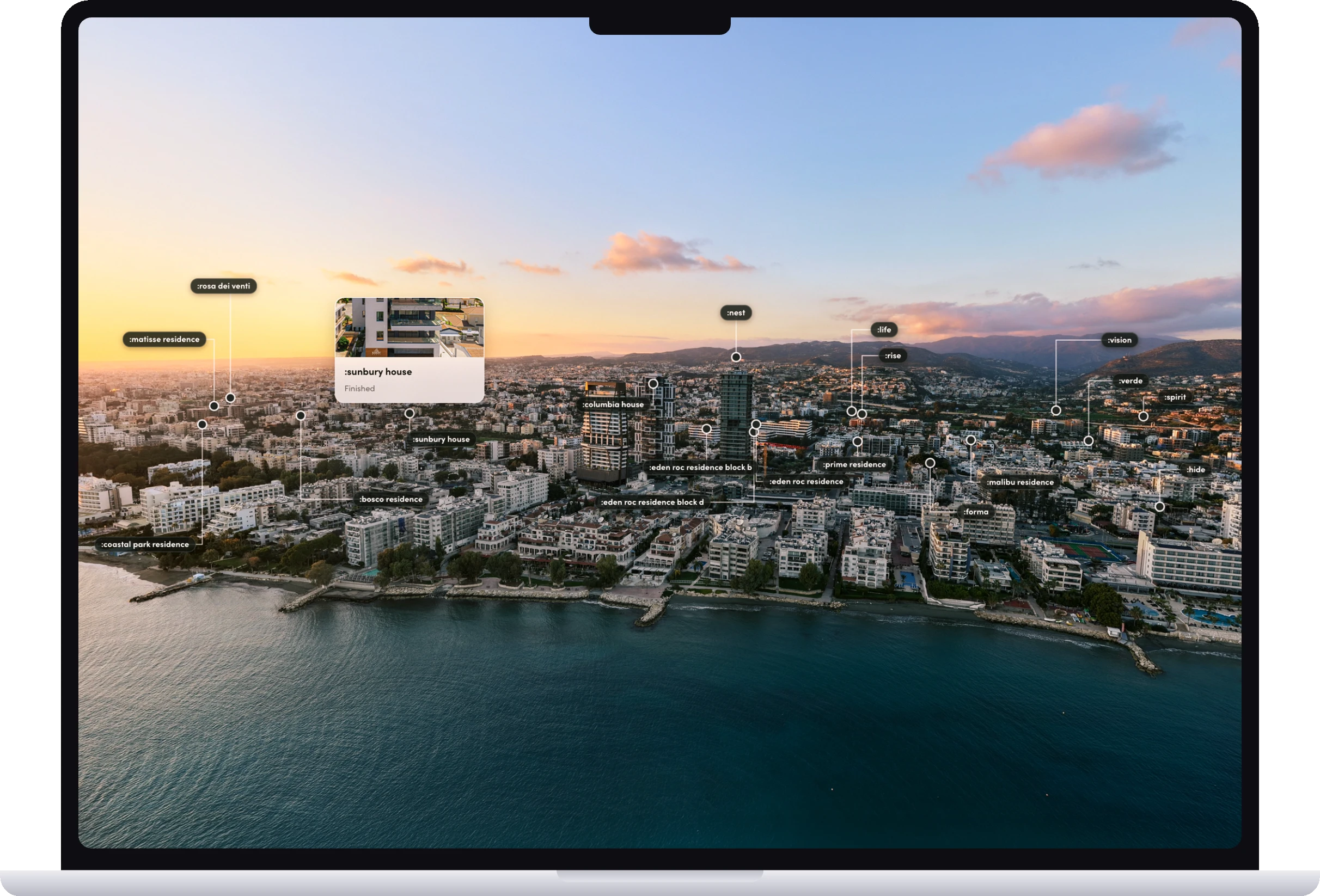
Aerials, rebranding, project readiness — a service, not part of the subscription.
See what our studio builds ↓

«A lead wrote at night on WhatsApp — and waited until morning.»

Marketing Director

Mark it — what closes this appears here.

The channel assistant answers 24/7 and qualifies; the lead is created from the conversation

«The project is ready, the page is not: the agency asks for six weeks.»

Marketing Director

Mark it — what closes this appears here.

The landing is assembled from the portfolio the moment the project is uploaded — and reads live prices

«We sell off-plan — the client has nothing to explore.»

Marketing Director

Mark it — what closes this appears here.

A clickable master plan, a 360° spin and an aerial tour — the buyer experience before completion

Beyond the Hub

Additional services, scoped and quoted separately.

YOU'VE SEEN WHAT WE'VE BUILT. NOW TELL US WHAT YOU NEED.

A product around QubeHub. A product beyond it. Or something that doesn't have a category yet.

Two phones in coral cases showing a developer’s branded sales app: a project map with price pins and a project card with prices per m²

Put the live portfolio and the tools to sell it into an app that feels entirely yours.

BBF ↗ iOS ↗ Android ↗

BRANDED SALES APPS

Your sales environment, in your brand.

BBF ↗ iOS Android
A residential complex with people on the plaza and the resident app open on a phone: the building, weather, bills and news from the management company

Residents, requests, services, the operation itself — its own world under your brand, on the units it already knows.

PROPERTY MANAGEMENT

White label — everything after the keys.

A developer’s market preparation on one desk: the brand platform page with positioning, palette, typeface and voice, an open project brochure with the facade and a floor plan, and a printed plan sheet

Positioning, identity, voice, interior and exterior photography of what you've already built, and brochures — prepared as one coherent project.

DEVELOPER MARKET PREPARATION

From existing projects to a clear market position, identity, voice, photography and complete project brochures.

Step by step units · prices

Live in days.

Everything you sell and work from —

  • units and prices
  • availability and holds
  • leads and conversations
  • offers and documents
  • agents and your team

— in one place, as one current commercial reality.

The data stays yours. The control stays yours.

Questions, answered.

Do we need to replace our CRM/website?

No. QubeHub runs as a layer on top of your existing stack or as a standalone hub. Integrations.

How long does implementation take?

Typically 1–14 days: we connect your catalog/pricing, set up integrations, and onboard your team/brokers—with no downtime. See how we get you live →

Will brokers actually use it?

Yes. A mobile app + web workspace with live listings, offers, and documents; push notifications and simple sharing—built for their daily workflow.

Who owns the data, and what about security?

You do. Export on request, API access, role/permission controls. Encryption and audit logs included.

How do the AI bots work (pre-qualification & follow-up)?

The bot responds first, asks a few quick questions, routes hot leads to the right manager, runs auto follow-ups, and messages via your site, WhatsApp, Telegram, and email.

How much does it cost?

Pricing depends on your portfolio size and the parts you actually need. Mark what happens in your company, and we'll come back with the price for exactly that setup. Build your hub →

Book a demo

The market judges you by what it sees — not by the tools or the team behind it. See what it will see.

QubeHub tailored demo

What should we demonstrate first?

Choose the workflow most relevant to your team. The booking button opens QubeHub's current calendar.

No data is collected in this step. The next step opens the official QubeHub booking calendar.

Choose a time →

Discuss a project

Write to us

Fill the form below — we reply by email.

Book a call →

Pick a time in the calendar.

Your hub

Request your price.

Three fields and we're done — the parts you marked come with the request.

Write to us

Fill the form below — we reply with the price.

Book a call →

Pick a time in the calendar.

Your portfolio
Billed as 40 units minimum

QubeHub starts at 40 units — smaller portfolios are billed as 40.

We reply with the price for your setup within one business day.

QubeHub onboarding

From your current portfolio to a live hub in 1–14 days.

If your project data is ready and the setup is focused, we can get you live in a day. Larger portfolios, teams and connected workflows are configured through the same onboarding process.

You provide

  • Project and unit data
  • Current pricing and availability
  • Approved sales materials
  • Team and broker access
  • Access to existing systems where integration is required

QubeHub handles

  • Portfolio setup and data structure
  • Module configuration
  • Permissions and access
  • Connected sales surfaces
  • Testing
  • Team onboarding
  • Launch

Timeline

  1. Day 1 — Focused setup live

    A ready project can be configured and launched.

  2. Day 3 — Portfolio configured

    Projects, units, pricing and required modules are in place.

  3. Day 7 — Team & channels connected

    Team, brokers and sales surfaces are connected.

  4. Day 14 — Broader rollout live

    The wider commercial setup is operating from the same current portfolio.

Standard onboarding: 1–14 days. Custom integrations can be scoped separately.

Email QubeHub

Tell us what you're working with.

Prefer email? Send us the context and we'll reply there.